Buy We Were Here Forever

Platform:
Windows
Genre:
Action
Publisher:
TMG Studios B.V
Activation:
Steam
Release Date:
10 may 2022
Languages:
English
Type:
Key
Region:
EU
18.00 USD
 In stock
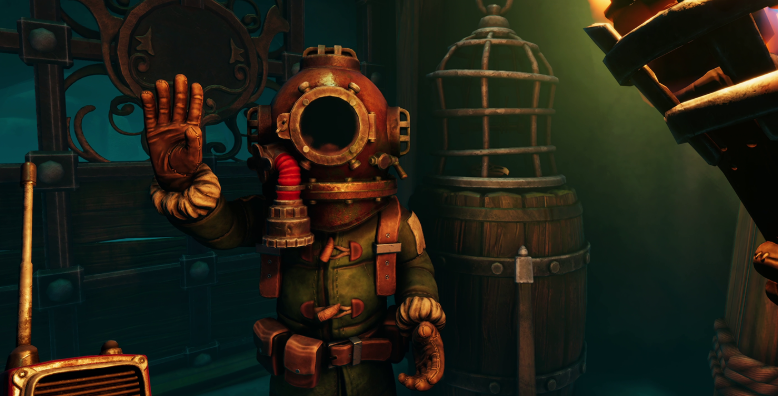
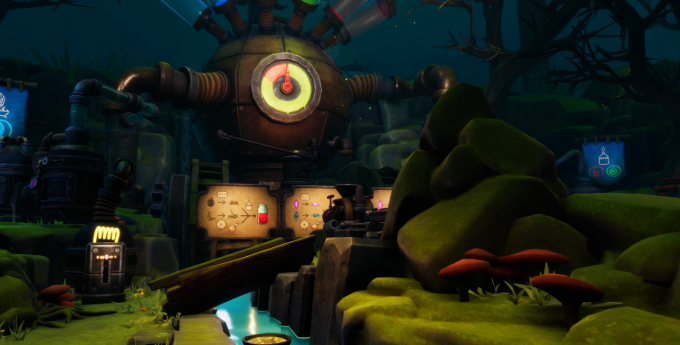
You and a fellow explorer awake inside the sinister Castle Rock with no way out - were you betrayed, or simply not that clever? Work together to explore and solve puzzles in this mysterious Antarctic adventure. Be aware, nothing is what it seems - there are dark secrets hidden in the shadows. Will you be able to escape?
Feature list
- Asymmetric co-op puzzle
- Two player experience
- Thriller adventure in the lively world of Castle Rock
- Spine-tingling story
**NOTE: This game is co-op only. It requires both players to have a working PC-compatible microphone and an internet connection.**
Feature list
- Asymmetric co-op puzzle
- Two player experience
- Thriller adventure in the lively world of Castle Rock
- Spine-tingling story
**NOTE: This game is co-op only. It requires both players to have a working PC-compatible microphone and an internet connection.**
Minimum Requirements
Requires a 64-bit processor and operating system
OS Windows 10 64 bit
Processor Intel Core i3 4000 series or equivalent
Memory 6 GB RAM
Graphics Nvidia GTX 750TI or equivalent, integrated graphics not supported
DirectX Version 11
Network Broadband Internet connection
Storage 25 GB available space
Additional Notes A working PC-compatible microphone
If you are not familiar with the technical information of your PC, download the CPU-Z program. CPU-Z will give you detailed information about the main system components - CPU, RAM, video card - installed on your system, which you can then compare with the minimum requirements of the game.
- Go to: http://store.steampowered.com/ and download STEAM client
- Click "Install Steam" (from the upper right corner)
- Install and start application, login with your Account name and Password (create one if you don't have).
- Please follow these instructions to activate a new retail purchase on Steam:
- Launch Steam and log into your Steam account.
- Click the Games Menu.
- Choose Activate a Product on Steam...
- Follow the onscreen instructions to complete the process.
- After successful code verification go to the "MY GAMES" tab and start downloading.
Videos & Screenshots

Recommended





- Payments
-

-

-

-

-

-

-

-

-