
Buy Turok 2: Seeds of Evil / ROW

Platform:
Windows
Genre:
Action, Adventure
Publisher:
Iguana Entertainment
Activation:
Steam
Release Date:
10 december 1998
Languages:
English
Type:
Key
Region:
ROW
20.00 USD
 In stock
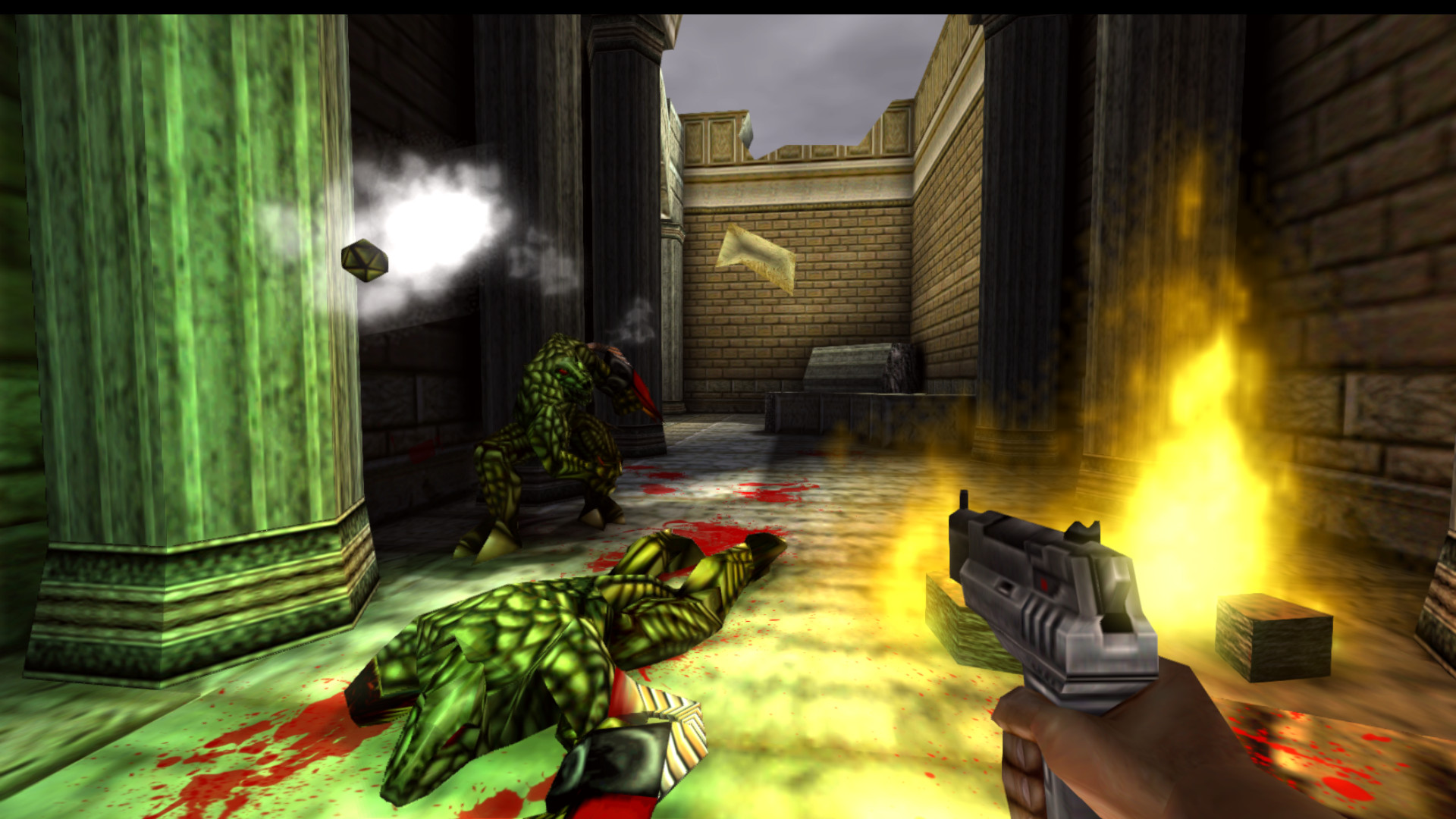
Turok 2: Seeds of Evil returns to the PC! The sequel to the hit game Turok is now available, featuring a host of enemies, weapons, missions, locations and a new multiplayer mode. Remastered for today’s computers using a new engine with improved graphics, Turok 2 will transport players into sprawling environments with vicious enemies lurking behind every corner.
The Dinosaur Hunter Returns
Fight your way through 35 different types of enemies with bouncing bellies, blinking eyes, stretching tentacles and snapping jaws. From Prehistoric Raptors, to evolved Flesh Eaters, to your final battle with the Mother of all beasts— you’ll want to defeat all of them!
Enemies are intelligent! They’re smart enough to attack in groups, to flee when they are outgunned, and to take cover during a firefight.
Enemies flinch and spasm differently depending on which body part you hit.
Remastered Locations
Conquer 6 engrossing Quest Levels including the Port of Adia, the Death Marshes and the Lair of the Blind Ones.
Over 20 Weapons
Unload multiple ricocheting shotgun shells with the Shredder.
Send brains flying with the skull-drilling Cerebral Bore, a fan favorite.
Stomp enemies flat while riding an artillery-mounted Triceratops!
New Multiplayer
The new Multiplayer mode lets you battle with your friends. Using the best levels, weapons, and visuals from both the PC and Nintendo 64 versions, players will encounter a fun and visceral multiplayer experience.
Players can also choose between a few skins for their character in combat. Network multiplayer is available through Steam, GOG Galaxy, LAN and direct IP with cross play capabilities.
Split-screen mode is also available in network multiplayer. Lastly, a new multiplayer game mode called “Last Turok Standing” has been added.
New Game Engine
Ported to the Kex Engine 3.4.
Full 64-bit compatibility.
Brand new UI system.
New Graphics System
Modernized deferred renderer.
Shadow maps and compiled light maps.
Screen-space reflections on textures and materials.
Dynamic and fixed-resolution sub/super-sampling.
New decals and effects.
Enhanced Gameplay
Improved character speed and manoeuvrability, including the ability to grapple ledges.
Updated maps.
Improved AI.
"Quick warp" feature allows instant travel to any previously visited portal.
Save and load anywhere.
The Dinosaur Hunter Returns
Fight your way through 35 different types of enemies with bouncing bellies, blinking eyes, stretching tentacles and snapping jaws. From Prehistoric Raptors, to evolved Flesh Eaters, to your final battle with the Mother of all beasts— you’ll want to defeat all of them!
Enemies are intelligent! They’re smart enough to attack in groups, to flee when they are outgunned, and to take cover during a firefight.
Enemies flinch and spasm differently depending on which body part you hit.
Remastered Locations
Conquer 6 engrossing Quest Levels including the Port of Adia, the Death Marshes and the Lair of the Blind Ones.
Over 20 Weapons
Unload multiple ricocheting shotgun shells with the Shredder.
Send brains flying with the skull-drilling Cerebral Bore, a fan favorite.
Stomp enemies flat while riding an artillery-mounted Triceratops!
New Multiplayer
The new Multiplayer mode lets you battle with your friends. Using the best levels, weapons, and visuals from both the PC and Nintendo 64 versions, players will encounter a fun and visceral multiplayer experience.
Players can also choose between a few skins for their character in combat. Network multiplayer is available through Steam, GOG Galaxy, LAN and direct IP with cross play capabilities.
Split-screen mode is also available in network multiplayer. Lastly, a new multiplayer game mode called “Last Turok Standing” has been added.
New Game Engine
Ported to the Kex Engine 3.4.
Full 64-bit compatibility.
Brand new UI system.
New Graphics System
Modernized deferred renderer.
Shadow maps and compiled light maps.
Screen-space reflections on textures and materials.
Dynamic and fixed-resolution sub/super-sampling.
New decals and effects.
Enhanced Gameplay
Improved character speed and manoeuvrability, including the ability to grapple ledges.
Updated maps.
Improved AI.
"Quick warp" feature allows instant travel to any previously visited portal.
Save and load anywhere.
- Minimum:
- Requires a 64-bit processor and operating system
- OS *: Windows 7 (64-bit required)
- Processor: Intel or AMD Dual-Core at 2.0 GHz
- Memory: 1 GB RAM
- Graphics: GPU with OpenGL 3.2 or DirectX 10 support
- Storage: 1 GB available space
- Sound Card: 100% DirectX compatible sound card or onboard sound
- Additional Notes: Intel CPUs rendering graphics may not be OpenGL 3.2+ compatible.
- Recommended:
- Requires a 64-bit processor and operating system
- OS: Windows 10 (64-bit required)
- Processor: Intel Core i5-2300 2.8 GHz/AMD Phenom II X4 945 3.0 GHz or equivalent
- Memory: 2 GB RAM
- Storage: 1 GB available space
- Sound Card: 100% DirectX compatible sound card or onboard sound
- Additional Notes: Intel CPUs rendering graphics may not be OpenGL 3.2+ compatible.
If you are not familiar with the technical information of your PC, download the CPU-Z program. CPU-Z will give you detailed information about the main system components - CPU, RAM, video card - installed on your system, which you can then compare with the minimum requirements of the game.
- Go to: http://store.steampowered.com/ and download STEAM client
- Click "Install Steam" (from the upper right corner)
- Install and start application, login with your Account name and Password (create one if you don't have).
- Please follow these instructions to activate a new retail purchase on Steam:
- Launch Steam and log into your Steam account.
- Click the Games Menu.
- Choose Activate a Product on Steam...
- Follow the onscreen instructions to complete the process.
- After successful code verification go to the "MY GAMES" tab and start downloading.
Videos & Screenshots


Recommended




- Payments
-

-

-

-

-

-

-

-

-
