
Buy Rail Route - Happy Passengers / LATAM

DLC
Platform:
Windows
Genre:
Indie, Simulator, Strategies, Casual
Publisher:
Bitrich.info
Activation:
Steam
Release Date:
21 may 2024
Languages:
English
Type:
Key
Region:
LATAM
3.00 USD
 In stock
Extra Content
Rail Route 1.0 / LATAM required to run
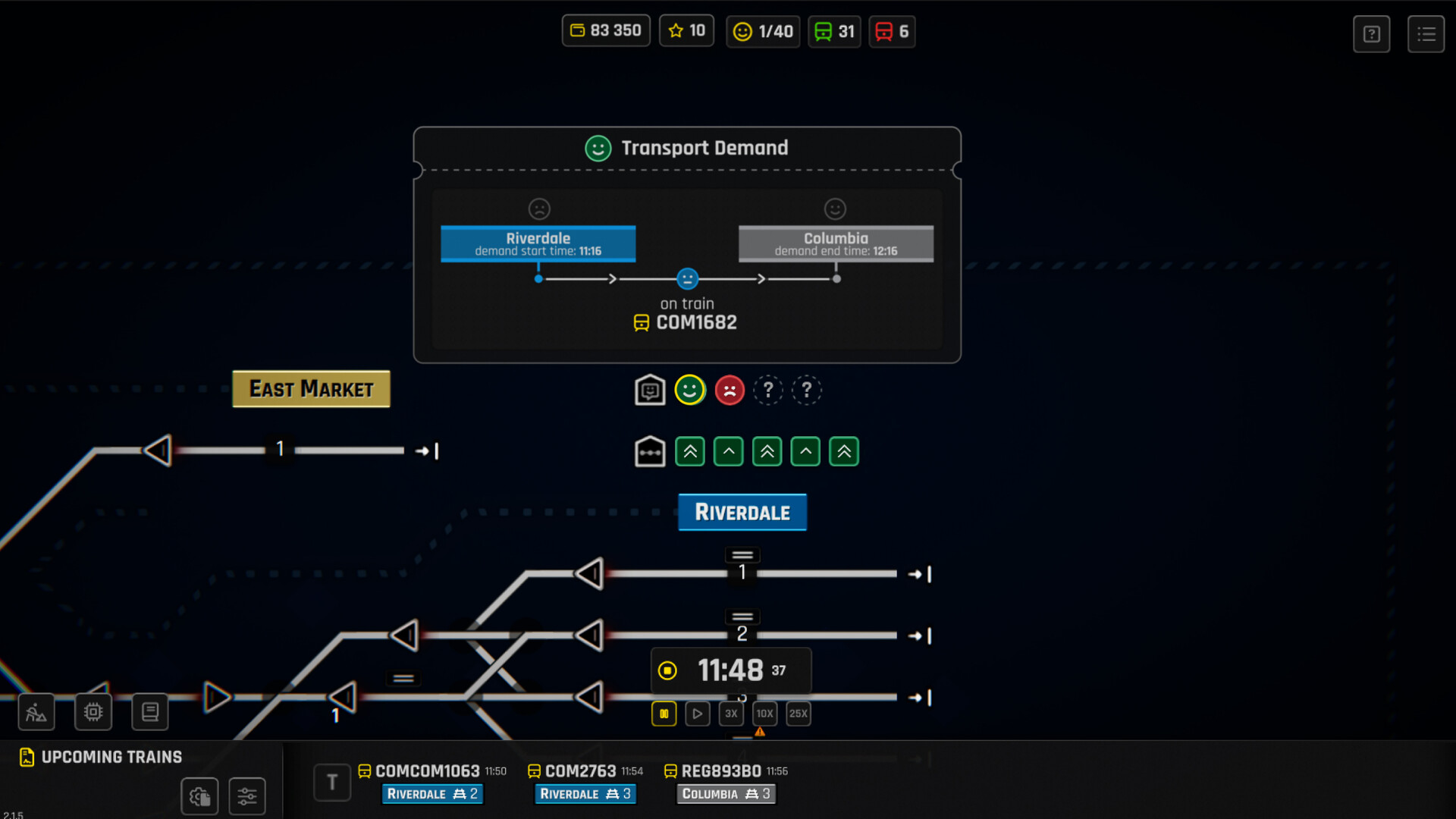
Elevate your rail management skills to new heights with the "Happy Passengers" DLC! This expansion focuses on the art of keeping passengers happy in your rail network. Introducing a completely new angle of gameplay to the Endless Mode, adding passenger demands into your cycles. And yes, the passenger’s satisfaction levels will influence your success!
What's New?
The Survey Office: Introduce a new facility into your network - the Survey Office. This critical addition helps gauge and manage passenger demands, ensuring you're always one step ahead in your planning and execution.
Passenger Demands: Adding passenger demands to stations. Now, Endless Mode is also about ensuring passenger satisfaction, in addition to handling contracts and network expansion. Your decisions will impact passenger happiness, driving you to optimize routes and schedules continuously.
Rewards: Aim for the additional star awarded for exceptional passenger management.
What's New?
The Survey Office: Introduce a new facility into your network - the Survey Office. This critical addition helps gauge and manage passenger demands, ensuring you're always one step ahead in your planning and execution.
Passenger Demands: Adding passenger demands to stations. Now, Endless Mode is also about ensuring passenger satisfaction, in addition to handling contracts and network expansion. Your decisions will impact passenger happiness, driving you to optimize routes and schedules continuously.
Rewards: Aim for the additional star awarded for exceptional passenger management.
- Minimum:
- Requires a 64-bit processor and operating system
- OS: Windows 64bit
- Processor: 1.6 GHz
- Memory: 1 GB RAM
- Graphics: On board
- Storage: 2 GB available space
- Recommended:
- Requires a 64-bit processor and operating system
- OS: Windows 64bit
- Processor: 2.4 GHz
- Memory: 3 GB RAM
- Graphics: Mid-tier GPU
- Storage: 2 GB available space
If you are not familiar with the technical information of your PC, download the CPU-Z program. CPU-Z will give you detailed information about the main system components - CPU, RAM, video card - installed on your system, which you can then compare with the minimum requirements of the game.
- Go to: http://store.steampowered.com/ and download STEAM client
- Click "Install Steam" (from the upper right corner)
- Install and start application, login with your Account name and Password (create one if you don't have).
- Please follow these instructions to activate a new retail purchase on Steam:
- Launch Steam and log into your Steam account.
- Click the Games Menu.
- Choose Activate a Product on Steam...
- Follow the onscreen instructions to complete the process.
- After successful code verification go to the "MY GAMES" tab and start downloading.
Videos & Screenshots







- Payments
-

-

-

-

-

-

-

-

-
