
Buy Holdfast: Nations At War - Patriot Edition / LATAM

Platform:
Windows
Genre:
RPG, Action, Indie, Simulator, Strategies
Publisher:
Anvil Game Studios
Activation:
Steam
Release Date:
11 june 2026
Languages:
English, German, French, Italian
Type:
Key
Region:
LATAM
22.00 USD
 In stock
Edition Description (Patriot Pack)
This is an expanded digital edition that includes the base game along with cosmetic content dedicated to the American Revolutionary War.
The Patriot Pack includes:
This is an expanded digital edition that includes the base game along with cosmetic content dedicated to the American Revolutionary War.
The Patriot Pack includes:
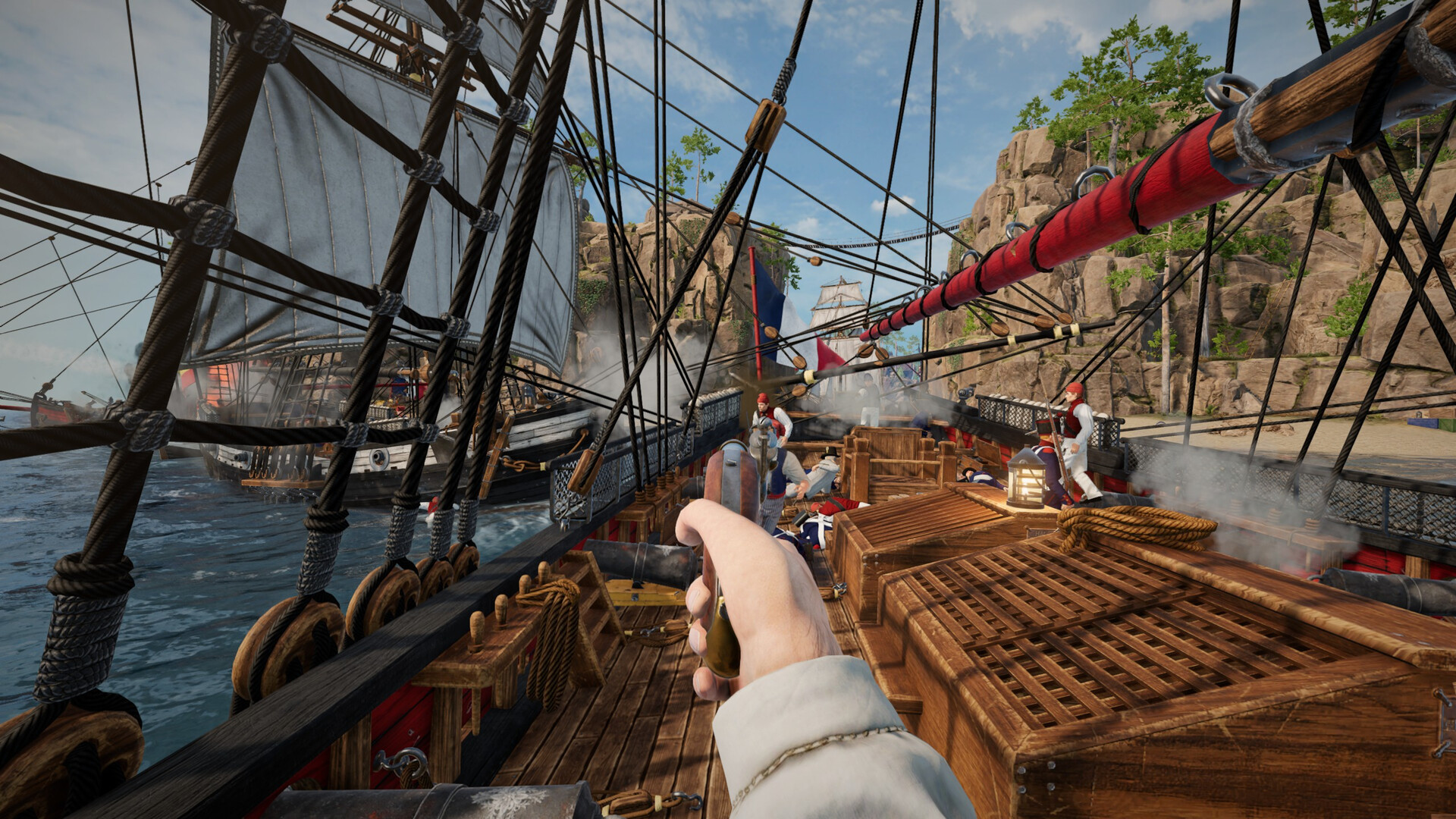
- Holdfast: Nations At War Base Game — A large-scale historical multiplayer shooter featuring battles with over 150 players per server. It includes the American Revolution, Napoleonic Wars, and World War I fronts.
- Cosmetic DLC Pack — Themed cosmetic items and skins for both the Continental Army (Patriots) and the British Empire.
- Unique Characters: Playable historical leaders, such as General George Washington.
- Musical Instruments: An exclusive Banjo to boost your team's morale on the battlefield.
- Unique Animations (Emotes): Special gestures for roleplay, including the "Ring Bell" emote to signify liberty.
Minimum:
- OS: Windows 10 64-bit or Windows 11 64-bit
- Processor: Intel i5-4670k or AMD Ryzen 7 1800X
- Memory: 8 GB RAM
- Graphics: Nvidia GT 1030 or Radeon RX 550
- DirectX: Version 11
- Network: Broadband Internet connection
- Storage: 22 GB available space
- Additional Notes: Game also playable on GeForce Now.
Recommended:
- OS: Windows 10 64-bit or Windows 11 64-bit
- Processor: Intel i7-8700k or AMD Ryzen 5 3600X
- Memory: 10 GB RAM
- Graphics: Nvidia GTX 1060 6GB or Radeon RX 580 8GB
- DirectX: Version 11
- Network: Broadband Internet connection
- Storage: 22 GB available space
If you are not familiar with the technical information of your PC, download the CPU-Z program. CPU-Z will give you detailed information about the main system components - CPU, RAM, video card - installed on your system, which you can then compare with the minimum requirements of the game.
- Go to: http://store.steampowered.com/ and download STEAM client
- Click "Install Steam" (from the upper right corner)
- Install and start application, login with your Account name and Password (create one if you don't have).
- Please follow these instructions to activate a new retail purchase on Steam:
- Launch Steam and log into your Steam account.
- Click the Games Menu.
- Choose Activate a Product on Steam...
- Follow the onscreen instructions to complete the process.
- After successful code verification go to the "MY GAMES" tab and start downloading.
Videos & Screenshots



Recommended




- Payments
-

-

-

-

-

-

-

-

-
