
Buy Golf With Your Friends / Africa / Middle East

Platform:
Windows
Genre:
Indie, Sports, Casual
Publisher:
Team17
Activation:
Steam
Release Date:
19 may 2020
Languages:
English
Type:
Key
Region:
Africa / Middle East
8.00 USD
 In stock
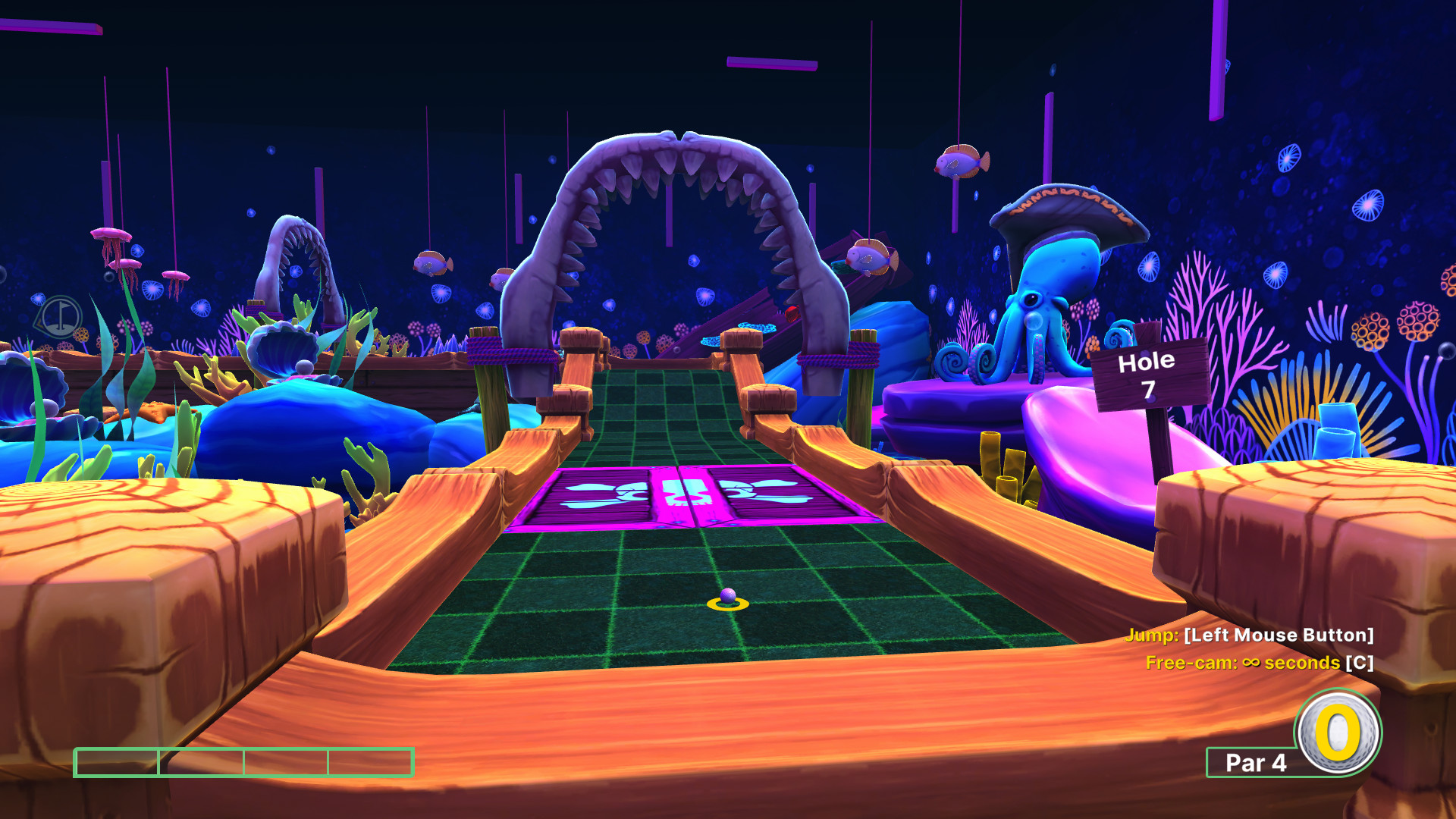
Why have friends if not to play Golf... With Your Friends! Nothing is out of bounds as you take on courses filled with fast paced, exciting, simultaneous mini golf for up to 12 players!
Key Features:
12 Player Multiplayer! Make sure your skills are up to scratch as you tee off against 11 other golfers in simultaneous online multiplayer.
Themed Courses! Go head to head on courses with unique mechanics and holes. Become a pro in the pirate course, aim for an albatross in the ancient theme or wage all out Worm warfare in the Worms course!
Powerups! Drive a wedge between your friends as you trap their ball in honey, freeze it or turn it into a cube.
Three Game Modes! Tee off in classic mini golf, shoot for the pars in hoops or swap the hole for a goal in hockey
Level Editor! Putt your own spin on the game by creating, sharing and playing your own courses.
Customisations! Turn the fairway into the runway, with unlockable hats, skins and trails for your ball.
Key Features:
12 Player Multiplayer! Make sure your skills are up to scratch as you tee off against 11 other golfers in simultaneous online multiplayer.
Themed Courses! Go head to head on courses with unique mechanics and holes. Become a pro in the pirate course, aim for an albatross in the ancient theme or wage all out Worm warfare in the Worms course!
Powerups! Drive a wedge between your friends as you trap their ball in honey, freeze it or turn it into a cube.
Three Game Modes! Tee off in classic mini golf, shoot for the pars in hoops or swap the hole for a goal in hockey
Level Editor! Putt your own spin on the game by creating, sharing and playing your own courses.
Customisations! Turn the fairway into the runway, with unlockable hats, skins and trails for your ball.
- Minimum:
- Requires a 64-bit processor and operating system
- OS *: Windows 7 SP1 (64-bit) or Windows 10 (64-bit)
- Processor: Intel i3-2100 / AMD FX-6300 @3.1GHz or higher
- Memory: 2 GB RAM
- Graphics: GTX 460 / Radeon 6870 / Intel HD Graphics 630
- Network: Broadband Internet connection
- Storage: 4 GB available space
- Recommended:
- Requires a 64-bit processor and operating system
- OS: Windows 10 (64-bit)
- Processor: Intel i5-6600 3.3GHz / AMD FX 8350 4.0GHz
- Memory: 4 GB RAM
- Graphics: GTX 960 4GB VRAM / AMD R9 280 3GB VRAM
- Storage: 4 GB available space
If you are not familiar with the technical information of your PC, download the CPU-Z program. CPU-Z will give you detailed information about the main system components - CPU, RAM, video card - installed on your system, which you can then compare with the minimum requirements of the game.
- Go to: http://store.steampowered.com/ and download STEAM client
- Click "Install Steam" (from the upper right corner)
- Install and start application, login with your Account name and Password (create one if you don't have).
- Please follow these instructions to activate a new retail purchase on Steam:
- Launch Steam and log into your Steam account.
- Click the Games Menu.
- Choose Activate a Product on Steam...
- Follow the onscreen instructions to complete the process.
- After successful code verification go to the "MY GAMES" tab and start downloading.
Videos & Screenshots


Recommended



- Payments
-

-

-

-

-

-

-

-

-
